AI Watermark Removal
AI-Powered Watermark Removal
Reliably detect and erase watermarks, logos, and other marks while preserving the image's original quality and details.
Use the tool responsibly to avoid unethical applications, such as removing watermarks for unauthorized commercial use. Respect the intended purpose of the image and adhere to fair use principles.
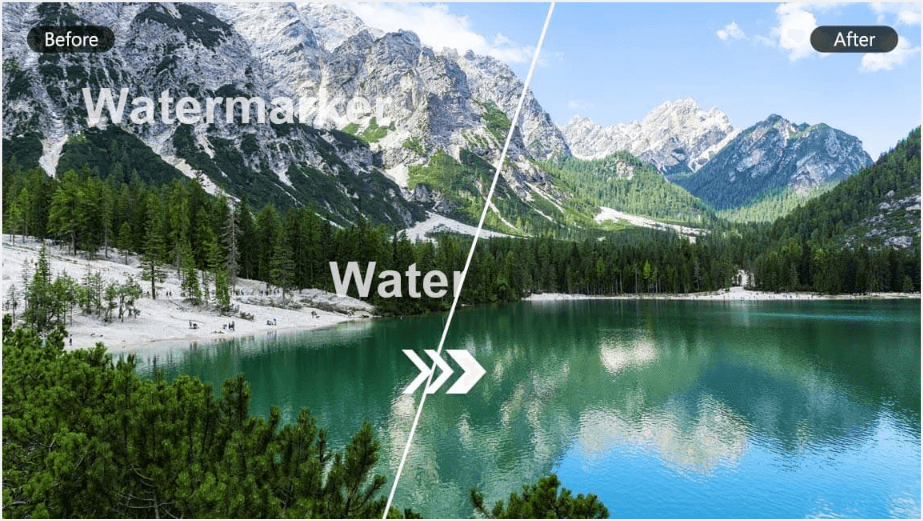
- AI Watermark Removal Usage Guide
This guide explains how to upload images, prepare reference outfits, and create virtual try-on tasks using the AI Watermark Removal.
- Step 1. Upload a File Using the File API
Use the File API (/s2s/v2.0/file) to upload a target image.
- Step 2. Retrieve File API Response
The response includes:
file_idfor creating an AI task.requests.urlfor uploading the actual image file.
- Step 3. Upload Image to Provided URL
Use the requests.url from the File API response to upload the image:
- Step 4. Create an AI Task
Use the AI Task API (/s2s/v2.0/task/wmk-removal) to create an AI task.
- Step 5. Poll for Task Result
Use the task ID to check the status:
curl --request GET \
  --url https://yce-api-01.makeupar.com/s2s/v2.0/task/wmk-removal/<YOUR_TASK_ID> \
  --header 'Authorization: Bearer YOUR_API_KEY' \
--header 'content-type: application/json'- Step 6. Retrieve Result
A successful response includes a download URL for the result image:
{
  "status": 200,
  "data": {
    "error": null,
    "results": {
 "url": "https://yce-us.s3-accelerate.amazonaws.com/demo/ttl30/...signature..."
    },
    "task_status": "success"
  }
}
Invalid API Key error response:
{
  "status": 401,
  "error": "Unauthorized",
  "error_code": "InvalidAccessToken"
}
Use cases: 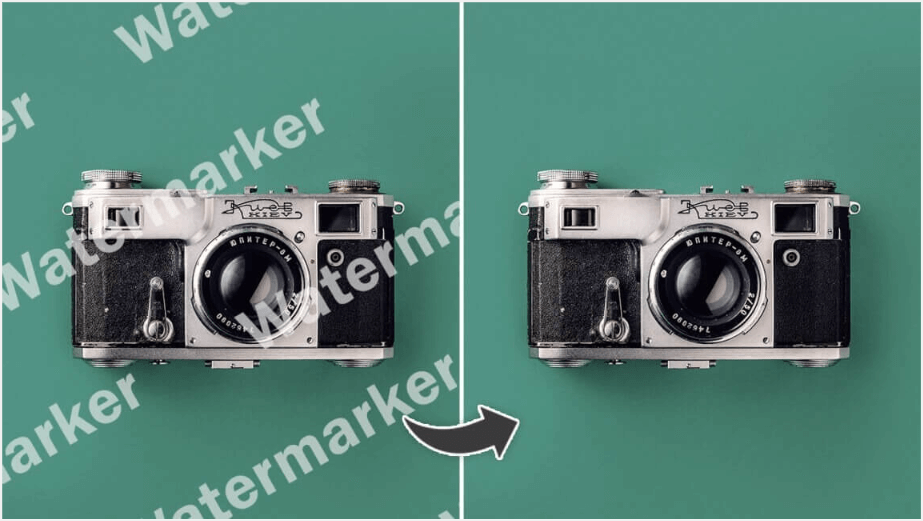
- Supported Formats & Dimensions
| Type | Supported Dimensions | Supported File Size | Supported Formats |
|---|---|---|---|
| AI Watermark Removal | max side 4096 px | < 10MB | jpg/png |
Removing watermarks can be illegal if done without the copyright owner’s consent or for unauthorized purposes. Always ensure you have proper rights to the image.
- Error Codes
| Error code | Description |
|---|---|
| invalid_parameter | The parameter(s) is missing or invalid. |
| error_download_image | The image could not be downloaded. |
| exceed_max_filesize | The image is too large. The file size must not exceed 10 MB. The long side must not exceed 4096 pixels. |
| error_below_min_image_size | The image is too small. The long side must be at least 128 pixels. |
| error_nsfw_content_detected | Potential NSFW content was detected in the result image. |
| error_editing_failed | The editing process failed because the result image is too similar to the source image. |
| unknown_internal_error | Something went wrong on our end while processing this request. |
- Environment & Dependency
| Sample Code Language / Tool | Recommended Runtime Versions |
|---|---|
| cURL | - bash >= 3.2 - curl >= 7.58 (modern TLS/HTTP support) - jq >= 1.6 (robust JSON parsing) |
| Node.js (JavaScript) | Node >= 18 (for global fetch) |
| JavaScript | - Chrome / Edge >= 80 - Firefox >= 74 - Safari >= 13.1 |
| PHP | PHP >= 7.4 (for modern TLS/compat), ext-curl (recommended) or allow_url_fopen=On + ext-openssl, ext-json |
| Python | Python >= 3.10 (for f-strings), requests >= 2.20.0 |
| Java | Java 11+ (for HttpClient), Jackson Databind >= 2.12.0 |